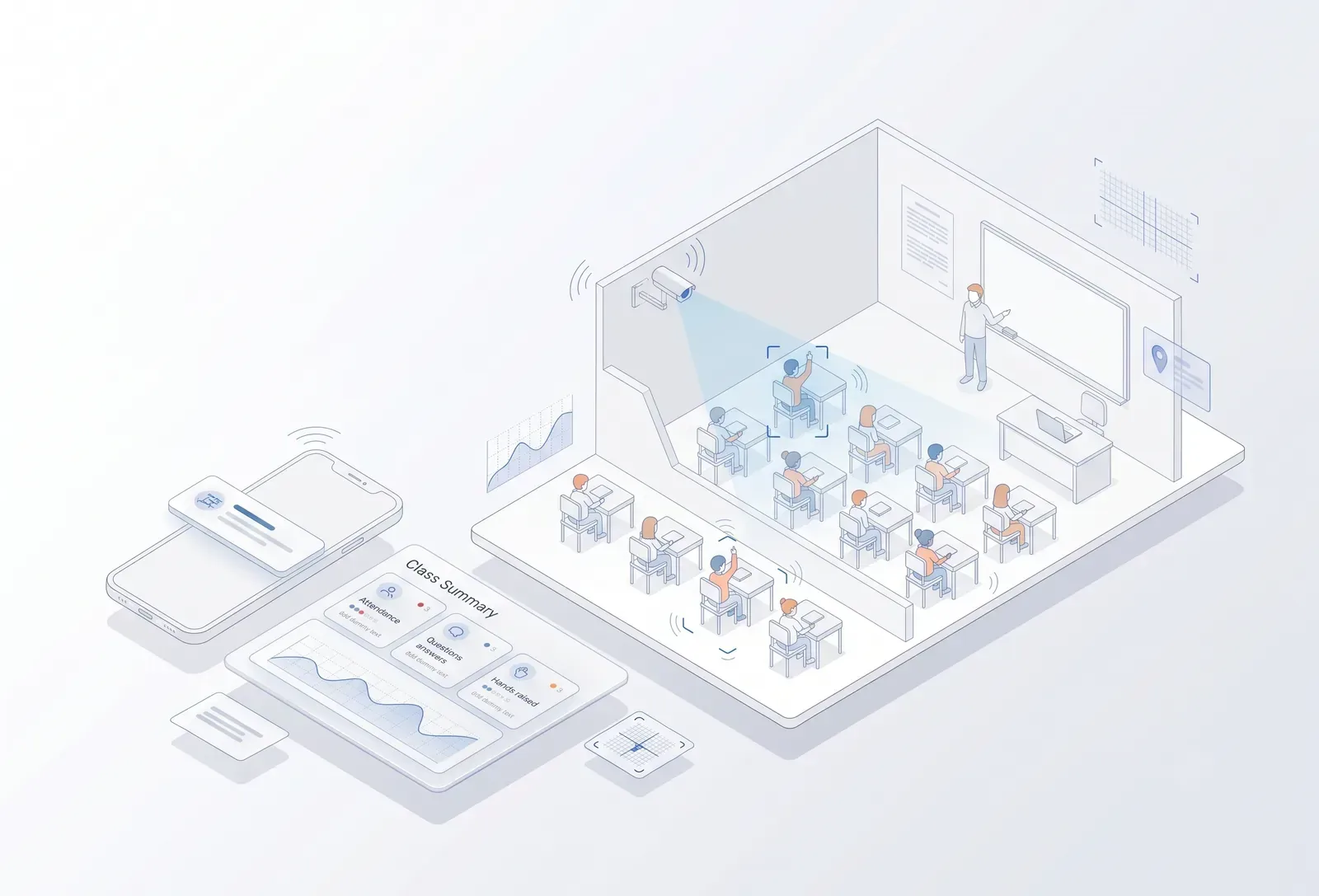
Classroom camera view beside a class summary of attendance, questions, answers, hands raised and board activity
For education

Your classroom already has a teacher and a camera. TrackALL turns it into intelligence.

From automatic attendance to classroom participation, teacher activity and campus safety — TrackALL helps institutions understand what is happening, as it happens.

A classroom is more than four walls and a timetable. Students arrive. Some participate. Some lose attention. Some ask questions. Some answer. A teacher explains, demonstrates, writes on the board and interacts with the class. Until now, most of this activity has been visible only to the people inside the classroom.

Built in Hubballi by Global Solution Makers — making software since 2007.

TrackALL Classroom Intelligence uses AI vision and audio analysis to turn selected classroom activity into measurable insights. Automatically record attendance. Understand classroom participation. Identify attention-related events such as drowsiness. Analyse teacher presentation and interaction. And extend the same intelligence across the campus for student safety, zone presence and authorised access.

Live examples
Classroom
Automatic student attendance Student presence and classroom occupancy Drowsiness / low-attention events Students asking questions Students answering questions Teacher-student interaction
Teacher
Board utilisation Teacher gestures and movement Teacher audibility Presentation activity
Campus
Student presence in campus zones Authorised / unauthorised zone entry
Safety & inclusion
Student fall or unusual posture Fighting or physical conflict Crawling / unusual movement Monitoring of differently abled students in defined areas
One campus. Many questions.

TrackALL brings classroom and campus intelligence together.

An education institution has several layers of activity.

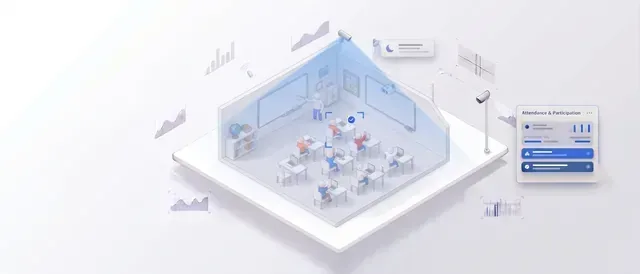
Classroom view with attendance, participation and teacher activity analyticsClassroom
  • Is the student present?
  • Is the student participating?
  • Is the class attentive?
  • Is the teacher interacting?
  • Is the lesson being delivered effectively?
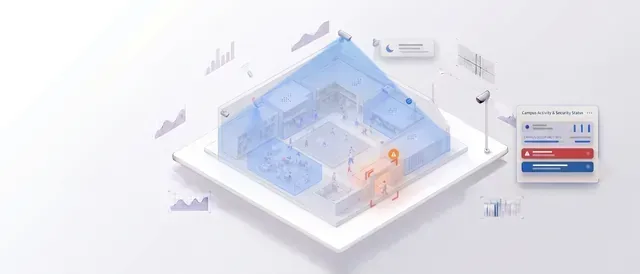
Campus zones with student presence counts and entry monitoringCampus
  • Where are students?
  • How many are in each zone?
  • Are students entering areas they should not?
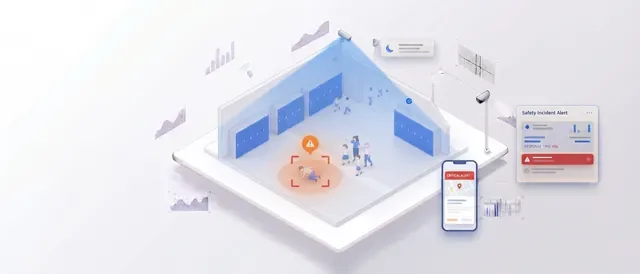
Student safety alerts for falls, unusual posture and unexpected eventsSafety
  • Did someone fall?
  • Is there a fight?
  • Is someone behaving unusually?
  • Does a student need assistance?
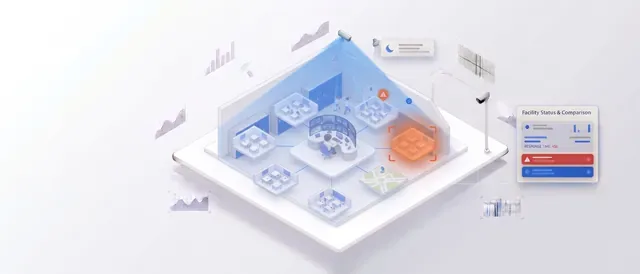
Management dashboard bringing classroom and campus events into one viewManagement
  • What is happening across classrooms and campus zones?

TrackALL connects these different visual intelligence requirements into one platform.

Classroom intelligence

Attendance is only the beginning.

Traditional attendance answers one question: who is present? TrackALL Classroom Intelligence can go further. It can analyse selected classroom events involving:

  1. Presence
  2. Attention
  3. Participation
  4. Interaction
  5. Teaching
01 · Automatic attendance

Know who is in the classroom without interrupting the lesson.

TrackALL can use classroom cameras and face-recognition workflows to automatically identify registered students.

Instead of
  1. 1Teacher calls 40 names.
  2. 2Students respond.
  3. 3Attendance takes several minutes.
TrackALL
  1. 1Students enter.
  2. 2Camera observes.
  3. 3AI identifies registered students.
  4. 4Attendance is recorded.
DashboardClass 8 — A
36Present
4Absent
90%Attendance
Attendance can be linked with
StudentClassSectionSubject TeacherDateTimeClassroom
02 · Student presence

Know who is present and where.

TrackALL can provide student presence information across defined areas. For example:

Classroom 8A36
Lab 0224
Play area18
Library11
Canteen42

This provides an additional layer of campus visibility.

03 · Student attention

Attendance tells you who came. Attention tells you what happened during the class.

Classroom attention is not a single number. TrackALL can identify selected visual indicators that may be useful for understanding classroom engagement.

Student appearing drowsyStudent looking away for extended periodsStudent raising a hand Student asking a questionStudent respondingStudent participating in classroom interaction
Class 10 — Mathematics · 42 studentsAttention-related events
8Questions asked
15Responses
11Hands raised
3Drowsiness events
These are AI-derived indicators, not a definitive measurement of a student's learning or understanding.
04 · Drowsiness detection

When the student is physically present but may not be fully engaged.

TrackALL can identify visual patterns associated with possible drowsiness where the camera view supports the use case.

STUDENT ATTENTION EVENTOpen
Class 9 — Science
Possible drowsiness detected

The purpose is not to label a student. It is to give teachers and academic teams an additional signal that may deserve attention.

05 · Questions & answers

A classroom should be a conversation, not a one-way presentation.

TrackALL can identify selected classroom interaction events.

Questions

Students asking questions

Responses

Students answering

Hands raised

Students seeking interaction

Teacher interaction

Teacher moving through or engaging with students

This can provide an additional picture of classroom participation.

06 · Classroom participation

See the interaction happening inside the classroom.

A teacher may want to understand:

  • Are students participating?
  • Are questions being asked?
  • Are students responding?
  • Is interaction happening across the classroom?
  • Are some sessions significantly more interactive than others?
Selected events over timeClass 7 — Science
12Questions
21Answers
17Hands raised
28Teacher interactions

The objective is to provide insight, not to reduce teaching to a single score.

Teacher intelligence

The teacher is part of the classroom equation.

Classroom analytics should not focus only on students. TrackALL can also analyse selected aspects of teaching activity.

07 · Board utilisation

How much of the lesson uses the board?

TrackALL can identify and measure selected board-related activity.

Teacher at boardBoard utilisationWriting / presentation activity Time spent using the boardTransition between board and classroom
ExampleMathematics — Period 03
Board activity
24 min
Classroom presentation
13 min
Student interaction
8 min
08 · Teacher gestures & movement

Teaching is not only words.

Teachers explain through movement, gestures, demonstration and interaction. TrackALL can analyse selected visible presentation behaviours.

MovementHand gesturesDemonstration PositioningInteraction with studentsBoard usage
Classroom activity
  • Teacher movement detected
  • Board interaction detected
  • Student interaction detected
  • Presentation activity detected
09 · Teacher audibility

A lesson is useful only when students can hear it.

Where suitable audio hardware is available, TrackALL can analyse classroom audio conditions and selected speech-related metrics.

Teacher audibilitySpeech activityClassroom noise Periods of high background noiseQuiet / inactive periods
AUDIBILITY EVENTOpen
Teacher audio below configured level
Duration: 00:48
This is an operational indicator, not an assessment of teaching quality by itself.
10 · Presentation analysis

Understand how the lesson is being delivered.

TrackALL can combine selected visual and audio indicators. Classroom activity may include:

BoardBoard activity detected
TeacherPresentation activity detected
StudentsParticipation events detected
AudioTeacher speech detected
InteractionStudent interaction detected

Together, these provide a richer picture of classroom activity than attendance alone.

Classroom dashboard

One classroom. One view.

Attendance, participation indicators, teaching activity and audio — together, for every class.

The dashboard can provide daily, weekly and period-wise views.

Class 8 — AToday
Attendance36 / 40
Classroom activityHigh
Questions8
Answers15
Hands raised11
Teacher interaction24 events
Board activity22 min
Possible drowsiness3 events
AudioGood
Class comparison

Look beyond attendance percentages.

Academic management can review classroom activity across:

ClassesSectionsSubjectsTeachers PeriodsDaysAcademic terms
ClassAttendanceQuestionsAnswers
Class 8A94%1628
Class 8B91%917
Class 8C96%1425

The purpose is to identify patterns that may support teachers and academic teams — not to reduce students or teachers to a single performance score.

Campus intelligence

The classroom is only one part of the campus.

Students move through many zones during the day. TrackALL can monitor selected areas using existing CCTV.

11 · Student presence by zone

Know how many students are in each area.

Live campusLive
Classrooms412
Canteen138
Play area96
Labs84
Corridors52
Library37

This can help administrators understand campus occupancy and movement.

12 · Face-based presence

Know not only how many — but who.

Where face-recognition workflows are configured and appropriate, TrackALL can identify registered students in selected zones.

ExampleComputer lab
28Students detected
26Recognised
2Unknown / not identified

The system can maintain zone-based presence records according to the institution's configured policies.

13 · Authorised zone entry

Not every student should enter every area.

Define authorised zones. For example:

Chemistry labClass 11 ScienceAuthorised
Chemistry labClass 8Not authorised
Play areaClass 5–10During scheduled period
Staff roomStaff onlyRestricted
Server roomAuthorised personnel onlyRestricted
When an unauthorised person enters a defined zone
ZONE ACCESS ALERTOpen
Student detected
Physics Lab
Outside authorised schedule
14 · Play area monitoring

Students should be able to play without the campus losing visibility.

Student presenceOccupancyCrowd build-upFalls FightingUnusual movementRestricted-area entry
PLAY AREA · 48 STUDENTSOpen
Fall event detected
Zone C
15 · Lab monitoring

Laboratories need controlled access.

Student presenceAuthorised classesTeacher presenceRestricted areas Crowd levelsSelected safety eventsAfter-hours activity
LAB 03Open
Unauthorised student detected
Time: 6:42 PM
16 · Washroom / restricted area monitoring

Monitor access without compromising privacy.

For sensitive areas such as washrooms, TrackALL should not monitor the inside of the private area. Instead, cameras can be positioned at appropriate external access points to monitor:

EntryExitZone occupancyRestricted accessAfter-hours activity

Cameras stay outside private spaces. The system should be configured to respect student privacy and institutional policies.

Student safety intelligence

Sometimes the most important event is unexpected.

TrackALL can identify selected unusual physical events where camera conditions support the use case.

17 · Fall detection

Someone falls. The system can raise an alert.

TrackALL can detect selected fall-like postures or sudden changes in position. The event can be sent to designated staff for verification.

STUDENT SAFETY ALERTOpen
Possible fall detected
Corridor — Block B
AI detection is an alert mechanism; a staff member should verify the event before taking action.
18 · Crawling / unusual movement

Not every unusual posture is an incident — but some deserve attention.

CrawlingPerson lying downPerson remaining on the floor Unusual postureSudden fall-like movement
UNUSUAL POSTUREOpen
Person detected on floor
Library Corridor
19 · Fighting / physical conflict

Detect potential physical conflict early.

Where the camera view and AI model support the use case, TrackALL can identify selected patterns associated with physical altercations.

STUDENT SAFETY ALERTOpen
Possible physical conflict
Ground Floor Corridor
The alert should prompt human verification and appropriate institutional response. It is not intended to make an automatic disciplinary determination.
20 · Differently abled student monitoring

Additional visibility where students may need additional support.

TrackALL can be configured around specific safety and movement requirements for differently abled students.

Presence in designated zonesEntry / exit monitoringUnusual fall or posture events Movement into restricted areasExtended inactivityAssistance-related alerts
STUDENT SUPPORT ALERTOpen
Student detected outside designated zone

The system should support care and safety — not surveillance for its own sake. Configurations should be designed with the institution, parents/guardians where appropriate, and applicable privacy requirements.

Student safety command centre

One dashboard for the events that need attention.

Security, administration or designated staff can respond to the relevant event.

Live eventsLive
Safety
Possible fallBlock B Corridor
Access
Unauthorised entryChemistry Lab
Security
Unknown personMain Gate
Student
Possible physical conflictGround Floor
Zone
Crowd thresholdPlay Area
From classroom to campus

One platform. Three layers of intelligence.

  1. Layer 01

    Classroom intelligence

    AttendanceAttention indicatorsQuestionsAnswersHands raisedTeacher interactionBoard utilisationTeacher movementAudibilityPresentation activity
  2. Layer 02

    Campus intelligence

    Student presenceZone countsFace-based identificationAuthorised accessLab monitoringPlay-area monitoringCommon-area activity
  3. Layer 03

    Safety intelligence

    FallsUnusual postureCrawlingPotential fightingRestricted accessAfter-hours activityStudent support events

TrackALL brings these layers together.

Find your role

Same cameras. A different answer for every desk.

Principal · School Director

See the institution beyond attendance reports.

Understand classroom activity, student presence and important campus events from one platform.

Academic Director

Understand classroom activity across classes and subjects.

Review attendance, participation indicators, classroom interaction and selected teaching activity.

Teacher

Get an additional view of what happened during your class.

Attendance is automatic. Classroom activity indicators help you reflect on participation and interaction.

Head of Department

Compare classroom patterns without sitting in every classroom.

Review selected classroom activity across teachers, classes and subjects.

Student Affairs · Counsellor

Identify patterns that may deserve human attention.

Drowsiness, repeated disengagement indicators, unusual activity or zone events can provide additional signals for appropriate follow-up. TrackALL does not diagnose students or determine their wellbeing.

Campus Administrator

Know where students are across important zones.

See occupancy and presence in classrooms, labs, play areas, common spaces and other configured zones.

Security Head

Focus on the events that require attention.

Restricted access, unknown persons, after-hours activity, crowding and selected safety events.

IT Head

Use the CCTV infrastructure you already have where it is suitable.

TrackALL can work with compatible IP cameras and NVR infrastructure, with additional cameras added where a particular classroom or safety use case requires them.

How we work

We understand your campus before we configure the AI.

01

We visit the campus.

We understand:

ClassroomsCamera locationsCampus zonesStudent movementExisting CCTVNetwork infrastructureSafety requirements
02

We define the use case.

Not “Install AI everywhere.” Instead:

  • “Automatically record classroom attendance.”
  • “Detect possible drowsiness.”
  • “Track student presence in the lab.”
  • “Alert when a student enters a restricted area.”
  • “Detect possible falls in the play area.”
03

We check the camera.

AI depends on what the camera can actually see. We evaluate:

Camera positionField of viewResolutionLightingClassroom layoutStudent seatingAudio conditionsOcclusion
04

We pilot first.

We configure selected classrooms or zones. Test. Tune. Review with teachers and administrators. Then expand.

How it connects

From classroom camera to intelligence.

  1. 1

    Your cameras

    Existing CCTV or additional classroom cameras where required.

  2. 2

    Your NVR / network

    Your current surveillance infrastructure can remain in place where compatible.

  3. 3

    TrackALL AI

    AI processes selected classroom and campus camera feeds.

  4. 4

    Intelligence

    Attendance · attention indicators · interaction · teaching activity · presence · zones · safety events.

  5. 5

    Action

    Dashboard · Mobile · Alert

The objective is not another wall of video. It is useful information for teachers, administrators and safety teams.

What TrackALL is — and what it isn't

AI should support education, not replace educators.

TrackALL can help with
AttendancePresenceParticipation indicatorsClassroom activity Teacher presentation indicatorsZone monitoringAccess eventsSafety alertsCampus occupancy
TrackALL does not replace
TeachersCounsellorsSecurity personnel Special educatorsSchool leadershipHuman judgement

AI-generated events are signals for people to review, not automatic conclusions about a student's behaviour, ability, discipline, intelligence or wellbeing.

Privacy by design

More intelligence should not mean less trust.

Education involves children and young people. TrackALL deployments should therefore be designed carefully around:

  • Appropriate camera placement
  • Restricted access to student information
  • Role-based permissions
  • Defined retention periods
  • Appropriate use of face recognition
  • Privacy-sensitive areas
  • Human verification of safety alerts
  • Institutional policies and applicable laws
Sensitive areas

Cameras should not be placed inside private spaces such as washrooms. Where access monitoring is required, cameras can be positioned at appropriate external entry/exit areas instead.

Start with one classroom

You don't need to AI-enable the entire campus on day one.

Start with one problem.

Option 01

Automatic attendance

Remove manual attendance from selected classrooms.
Option 02

Classroom intelligence

Understand attendance, participation and classroom activity.
Option 03

Teacher intelligence

Analyse selected board, presentation, interaction and audibility indicators.
Option 04

Campus safety

Monitor falls, restricted areas and selected safety events.
Option 05

Zone intelligence

Know how many students are present in labs, play areas and other defined zones.

Prove the use case. Then expand.

A campus that understands its classrooms

From attendance to intelligence.

Traditional education software tells you
  • Who enrolled.
  • Who attended.
  • What marks were recorded.
TrackALL adds another layer

What happened inside the classroom and across the campus.

Students. Teachers. Classrooms. Zones. Safety.

All connected through AI vision.

Next step

See Classroom Intelligence on your own campus.

Book a demo

See TrackALL demonstrate:

  • Automatic attendance
  • Student presence
  • Attention-related events
  • Questions and answers
  • Teacher activity
  • Board utilisation
  • Zone monitoring
  • Safety events

Best if you want to see the technology first.

Plan a campus visit

We visit your institution, understand your classrooms and existing CCTV, and identify practical AI opportunities. We will tell you:

  • Which classrooms can use existing cameras
  • Where additional cameras may be required
  • Which classroom events can be detected
  • Which campus zones can be monitored
  • Which safety use cases are practical
  • Where privacy-sensitive deployment is required
  • Which problems should be solved using another technology

Best if you already have a campus or education problem in mind.

Your classroom is full of information.
Your campus is full of activity.

Make it intelligent.

AI-powered intelligence for attendance, classroom activity, teaching insights, student presence, campus safety and security.