
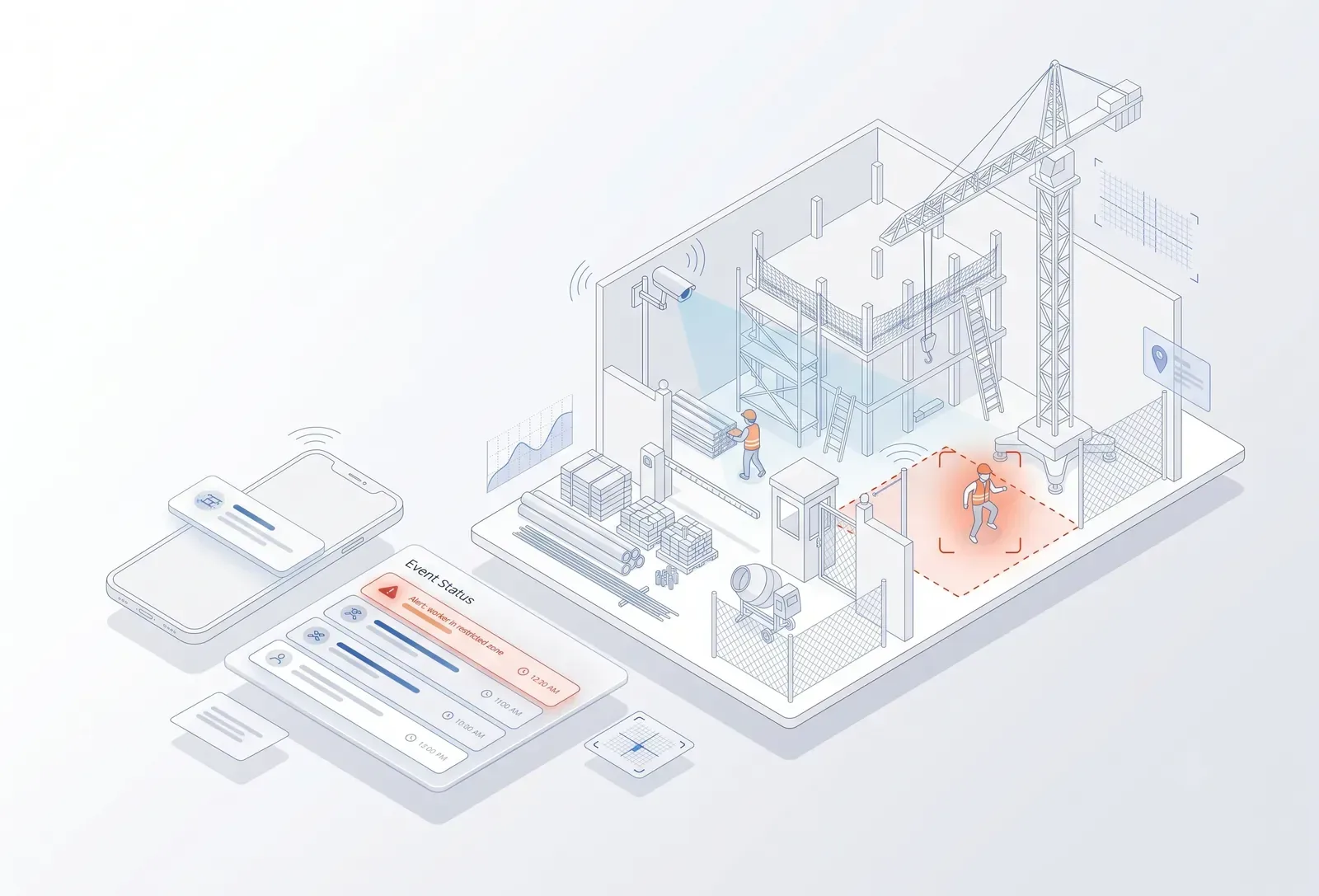
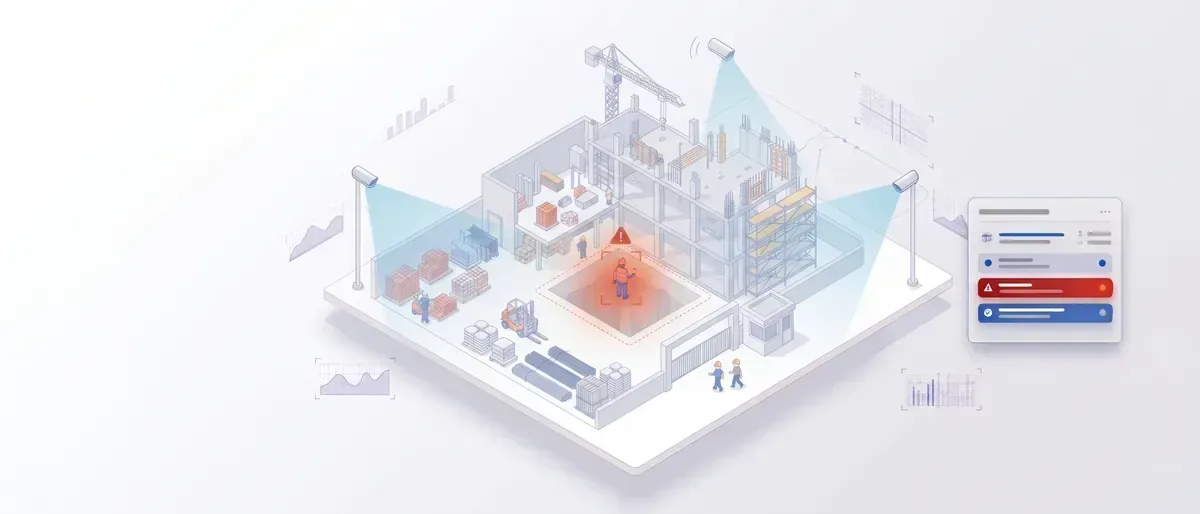
Construction site camera frame with a restricted zone, detected workers and a live event
For construction & real estate

Your project has cameras everywhere. TrackALL tells you what is actually happening on site.

Construction sites change every day. People move. Materials arrive. Equipment operates. Work progresses. Safety conditions change. Areas that were empty yesterday may be active today. Most CCTV systems simply record all of it.

TrackALL adds AI vision to your existing cameras and turns selected site activity into useful information — when people enter restricted areas, when safety conditions change, when materials move, when equipment is active.

For completed properties, TrackALL continues to work as an AI layer for security, occupancy, parking, visitor movement and facility operations.

Built in Hubballi by Global Solution Makers — making software since 2007.

Live examples
Worker enters a restricted zone Person detected without required safety equipment Material enters or leaves a defined area Vehicle enters the construction site Equipment is operating Crowd or congestion develops Work area is unattended Construction activity changes in a monitored zone Person enters a site after working hours
Find your environment

A construction site today. A property tomorrow.

TrackALL can be configured around different stages of the built environment.

Track
Construction intelligence

A construction project is more than a schedule on paper.

Your project management software knows
Planned activitiesWork ordersContractors SchedulesQuantitiesCosts
Your cameras see
PeopleEquipmentMaterials Work areasMovementSite conditions

TrackALL connects the visual side to the operational side.

People

Know where work is happening.

Construction sites can have hundreds of workers spread across multiple locations. TrackALL can detect people in defined camera views.

Track
Worker presenceZone occupancyEntry / exit Restricted-zone entryCrowd formationAfter-hours presence Selected safety conditions
OCCUPANCY ALERTOpen
Work Zone 04
People detected: 17
Configured capacity: 12

Safety

A safety rule is useful only when someone can see the violation.

TrackALL can monitor selected visual safety conditions where the camera position and image quality support the use case.

Track
Person in restricted areaPerson in danger zoneHelmet / PPE detection where suitable Crowd or congestionUnsafe zone occupancyAccess to selected hazardous areas After-hours presence
PPE ALERTPerson detected without required helmet · Tower A · Floor 09Open
TrackALL is an additional safety-monitoring layer. It does not replace site safety officers, statutory safety procedures or physical safety systems.

Material movement

Materials move every day. Know when they move through important zones.

Materials can enter through one gate, move to a storage area and later travel to a work location. TrackALL can monitor selected camera zones for visual movement events.

Material entering a monitored areaMaterial leaving a defined zone Loading / unloading activityVehicle at material gate Storage-area activityMovement through restricted areas
MATERIAL AREAVehicle detected · Loading activity startedOpen
For inventory-grade quantity measurement, barcode/RFID/ERP systems may remain the appropriate technology. TrackALL focuses on what the camera can visually observe.

Vehicles & equipment

Construction sites are full of moving machines.

TrackALL can detect and monitor selected vehicles and equipment activity.

Track
TrucksCarsExcavators Cranes where visually detectableConstruction equipmentEntry / exit Loading areasRestricted movementParking areas
SITE GATE 02Heavy vehicle detectedOpen

Site progress

See activity across your project zones.

TrackALL can provide visual activity information from defined areas. For example:

Tower A
Floor 15Material movement
Floor 14No activity
Floor 13Activity detected
Floor 12Activity detected
This does not replace your project-management system or engineering progress measurement. It provides another layer: what is visibly happening at the site?

After-hours activity

The site is supposed to be empty. Is it?

Define operating hours for selected areas. If a person or vehicle is detected outside the configured period, TrackALL can generate an event.

AFTER-HOURS ACTIVITYOpen
Person detected
Tower B · 11:47 PM
Useful for
Construction sitesMaterial yardsEquipment areas Commercial propertiesVacant propertiesRestricted buildings
Property intelligence

Once construction ends, the cameras don't become useless.

The same visual intelligence can continue into property operations.

Occupancy

Know how spaces are being used.

TrackALL can monitor occupancy in selected areas.

LobbyParkingClubhouseReception Common areasCommercial floorsCorridorsWaiting areas
CAPACITY ALERTOpen
Clubhouse
Current occupancy: 47
Configured limit: 40

Parking

See vehicles, movement and occupancy.

TrackALL can monitor selected parking areas for:

Vehicle countEntry / exitParking occupancyRestricted parking Vehicle movementCongestionSelected vehicle identification workflows
Parking level 02
92% occupancy6 spaces available

Visitor movement

Know when people enter and where they go.
For properties such as
ApartmentsOfficesCommercial buildings HospitalsHotelsBusiness parks

TrackALL can provide selected visitor and zone activity information.

Track
EntryExitOccupancy Zone movementWaiting areasRestricted areas

Common-area security

Your property has many places that nobody continuously watches.

TrackALL can monitor selected:

CorridorsParking areasStaircasesBuilding entrances ClubhousesService areasPerimetersCommon spaces
The objective is simple

Don't make people watch every camera. Let the system bring important events to them.

Security events

One event. One owner. One status.

When TrackALL detects a configured event:

  1. OpenAn event has been detected.
  2. AcknowledgedSecurity or operations has seen it.
  3. ActionThe team checks the location.
  4. ClosedThe event is resolved.

The event remains available for review and reporting.

Multi-project command centre

One developer. Multiple projects. One operational view.

A real-estate company may have:

12 construction sites8 completed properties5 commercial buildings 3 warehousesHundreds or thousands of cameras

Management doesn't need another wall of video. They need exceptions.

Open events across projectsLive
Project — NorthRestricted zone entry
Open
Project — EastAfter-hours activity
Open
Property — CentralParking occupancy high
Open
Property — WestCamera offline
Open

TrackALL brings selected events together.

Construction + real estate lifecycle

One project. Two stages. One vision platform.

  1. Stage 01

    Construction

    PeopleMaterialsVehiclesEquipmentSafetyRestricted zones
  2. Stage 02

    Handover

    BuildingParkingSecurityOccupancyVisitorsCommon areas
  3. Stage 03

    Property operations

    SecurityFacilitiesOccupancyParkingVisitor movementOperational events

Your camera infrastructure can continue providing value as the property evolves.

Find your role

Same cameras. A different answer for every desk.

Developer · Owner

Know what is happening across your projects.

See important site and property events without personally watching CCTV.

Project Director

Get visibility across multiple construction sites.

Review site activity, safety events, restricted-zone events and other configured exceptions.

Project Manager

Know what is happening on the floor before you reach the floor.

Use camera intelligence as an additional operational view.

Site Engineer

See activity across work zones.

Know where people, equipment and selected material activities are happening.

Safety Head

Turn selected visual safety conditions into immediate alerts.

Track restricted zones, PPE conditions and other configured events.

Security Head

Move from camera watching to event management.

See intrusion, after-hours movement, restricted-zone entry and other security events.

Facility Manager

The project is complete. The cameras keep working.

Monitor occupancy, parking, common areas and property security.

IT Head

Add AI without rebuilding the CCTV infrastructure.

Where compatible, TrackALL can connect to existing IP cameras and NVR infrastructure and process selected streams through the AI system.

How we work

We see the site before we suggest anything.

01

We visit the site.

We understand the project, camera locations, network, work zones and operational problems.

02

We identify the event.

Not “Install AI everywhere.” Instead:

  • “Alert when someone enters this zone.”
  • “Count vehicles at this gate.”
  • “Detect helmets in this work area.”
  • “Alert when someone enters after hours.”
03

We check the camera.

AI depends on what the camera can see. We check:

Camera positionLightingResolutionField of view DistanceOcclusionNight conditionsMovement
04

We prove the use case.

We configure the selected cameras and test the AI under actual site conditions. Only then do we recommend expansion.

How it connects

From your camera to the project dashboard.

  1. 1

    Your cameras

    Existing CCTV or additional cameras where required.

  2. 2

    Your NVR / network

    Your current surveillance infrastructure can remain in place.

  3. 3

    TrackALL AI box

    The AI system reads selected camera streams.

  4. 4

    AI event

    Person. Vehicle. Zone. Safety. Movement. Occupancy.

  5. 5

    Action

    Dashboard · Mobile · Local alert

The video remains available for investigation while the AI event brings the important moment to your team.

What TrackALL is — and what it isn't

Computer vision works best when the problem is visible.

TrackALL can help with
PeopleVehiclesMovementPresenceZones CrowdsSelected PPEOccupancySelected material activitySecurity events
Other systems may be better for
Exact material quantitiesEngineering measurementsStructural inspection SurveyingInventory accountingFinancial project managementContractor billing

TrackALL is strongest where the camera can see the event.

Start with one site problem

Don't AI-enable the entire project on day one.

Start with the problem that costs you the most attention. For example:

“We cannot monitor our site perimeter continuously.”
“We need to know when people enter restricted areas.”
“We want better visibility of worker safety.”
“We have cameras across the project but management rarely knows what is happening.”
“After handover, we want better security and occupancy visibility.”
  1. We configure one use case
  2. Prove it
  3. Then expand
Next step

See what your construction-site cameras can understand.

Book a demo

See TrackALL detect people, vehicles, zones, occupancy and selected construction events from real camera footage.

Best if you want to understand the technology first.

Plan a site visit

We come to your project, inspect the existing CCTV and identify practical AI vision opportunities. We will tell you:

  • What your existing cameras can detect
  • Which cameras need repositioning
  • Where additional cameras may be required
  • Which construction problems are suitable for computer vision
  • Which problems should be solved another way
  • Where we recommend starting

Best if you already have a project or site problem in mind.

Your project is changing every day.
Your cameras are already watching.

Make them tell you what matters.

AI-powered video intelligence for construction sites, real estate, property operations and security.